Transport operations / private pilot

Plan the work. Follow the vehicle. Keep the proof.

TransportOS gives small transport teams one place to plan jobs, guide drivers, see what is moving and keep the delivery record. Fewer phone calls, fewer disconnected spreadsheets.

  • Web dispatch workspace
  • Mounted Android driver app
  • No-install driver and customer links
Planning workspaceExample data
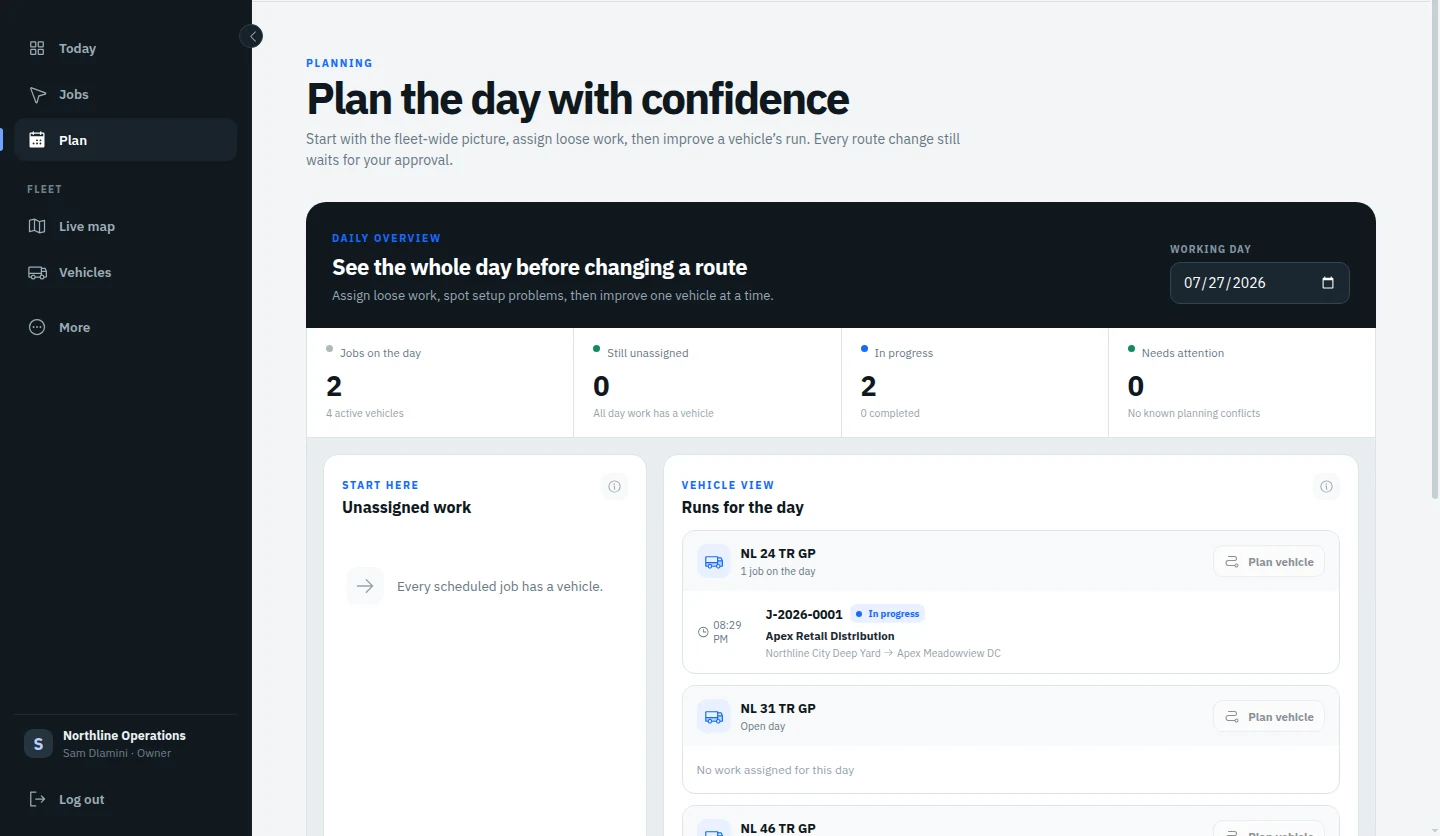
TransportOS planning workspace arranging vehicle runs across the working day
Build the day before the wheels turn.Example workspace using demonstration data.
Plan onceAssign work, set order and publish the run.
Guide the driverPut the next stop and navigation in their hand.
Follow the daySee vehicles, routes and job state in context.
Keep the recordStore proof, times and exceptions with the job.
Actual product views

See the operation, not a promise.

These are real TransportOS pilot interfaces using demonstration data, selected because they show the work clearly without inventing capability.

Fleet mapReported positions
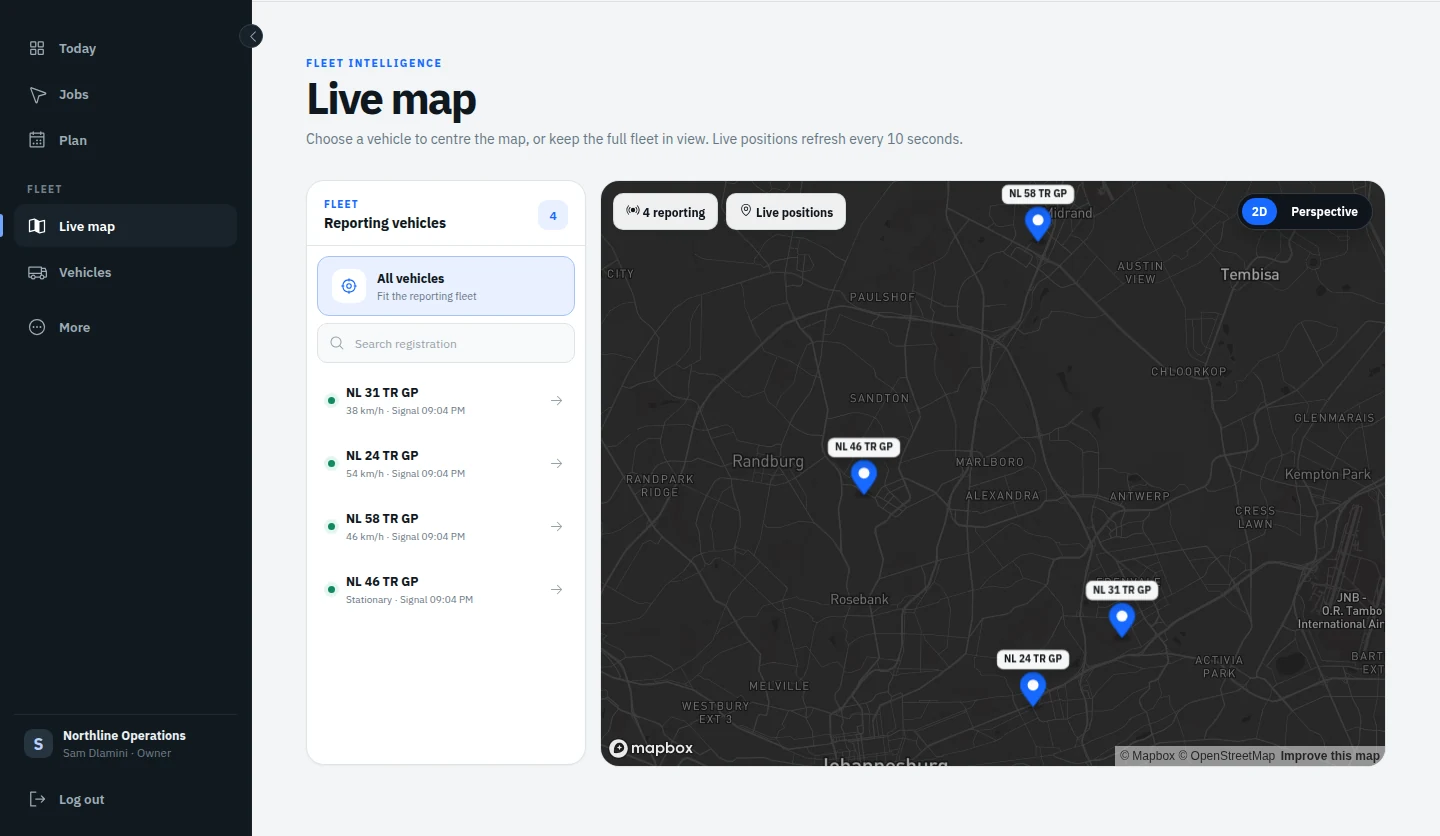
TransportOS fleet map showing reported vehicle positions and job route context
Vehicle movement with work attached.A paired device must be reporting for a vehicle to appear.
01 / FOLLOW

Know what is moving and why.

The map keeps vehicle position beside the route, shift and job context. Dispatchers can focus one vehicle or return to the full operation without a polling refresh stealing the view.

  • Latest reported vehicle position
  • Selected-vehicle route and job context
  • Shift state and recent movement history
02 / FIELD + CUSTOMER

Give each person only what they need.

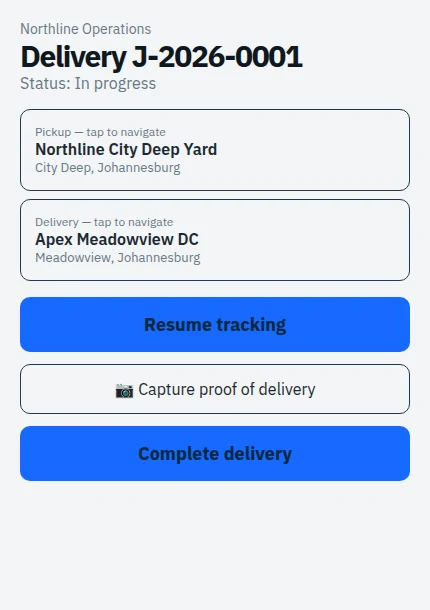
The driver gets the next job action and maps handoff. The customer gets a separate read-only view for their own delivery, without a TransportOS account.

  • Mounted Android app or secure driver link
  • Pickup and delivery details with navigation handoff
  • Private, job-scoped customer tracking link
Driver viewTransportOS driver view showing the next delivery action
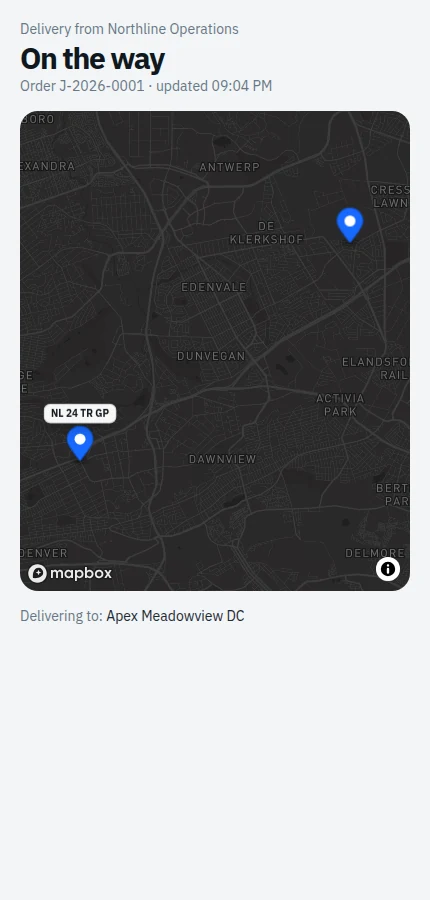
Customer viewTransportOS customer tracking page showing one delivery and reported vehicle position
Pilot interfaces using demonstration data.
One operating loop

Create → Plan → Drive → Prove → Resolve

The same job moves from the office to the driver, customer and proof record without being rebuilt in separate tools.

01

Create

Capture pickup, delivery, customer, requirements and the work that must be done.

02

Plan

Order the day, assign a vehicle and publish a clear Now, Next and Later run.

03

Drive

Give the driver the active stop, job details and navigation handoff.

04

Prove

Keep photos, completion details, route context and timestamps with the job.

05

Resolve

Bring delays, missing proof and device issues back to the office.

Available in the pilot

A clearer feature inventory.

TransportOS connects planning, field execution and evidence. Each capability below is available today within the stated operating boundary.

01

Plan and dispatch

Turn incoming transport work into a day the driver can execute.

  • Job captureRecord collections, deliveries, customers, time windows, locations and job requirements.
  • Vehicle and driver assignmentPut the work against the responsible vehicle and driver before publishing it.
  • Vehicle-day route orderingUse road distance and travel-time estimates to improve one vehicle's running order. The dispatcher approves the order before it is published.
  • Saved operational placesReuse yards, customer sites and working areas instead of retyping common locations.
02

Driver and field work

Keep the driver focused on the current stop and the next useful action.

  • Mounted Android appPair a vehicle tablet for shift tracking, job execution and foreground location capture.
  • No-install driver linkSend job-scoped work securely when a mounted device is not the right fit.
  • Navigation handoffOpen pickup and delivery coordinates in Google Maps or the device's maps app.
  • Offline continuityQueue captured positions through ordinary outages and upload them oldest-first after reconnecting.
03

Visibility, customers and proof

Keep the office and customer informed without confusing location data for delivery truth.

  • Fleet map and route contextSee the latest position reported by a connected device alongside the vehicle, shift and assigned work.
  • Customer tracking linkShare one private, read-only job view without creating a customer account.
  • Proof of deliveryCapture photos and required completion details against the job's timeline and route context.
  • Geofence evidenceRecord arrival and departure evidence and prompt the driver at the right time. Location evidence does not silently complete jobs.
  • Office exceptionsSurface delays, missing proof, offline devices and incomplete work where the office can act.
Reliability and recovery

Connectivity should not decide whether the driver can finish.

TransportOS keeps tracking through ordinary outages, preserves the exact shift-end intent and gives a paired tablet a recovery path when the server address changes.

Discuss your operation
01
Offline location queue

Captured positions wait safely and upload oldest-first when the connection returns.

02
Reliable shift ending

The tablet can stop locally and reconcile only the matching server shift after reconnecting.

03
Server-address recovery

A paired tablet can update its TransportOS address without wiping the app and starting from scratch.

Private pilot

Start with one vehicle and a real day's work.

We are onboarding a small number of transport teams while we harden deployment, billing and long-term operations. Tell us how your jobs move today and where the handoffs break down.